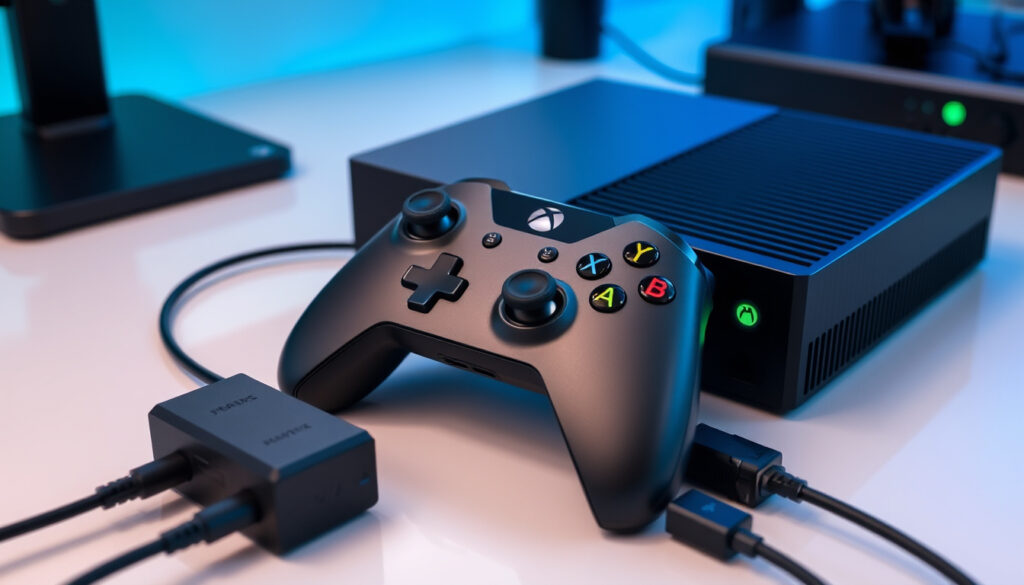
Xbox Series X Controller: Best Picks, Compatibility & Guide
Your Xbox One controller pairs with the Series X without adapters, and Microsoft sells two distinct tiers in Ireland: the €49–59 standard pad and the €149.99 Elite Series 2 Core. Here’s everything that matters before you spend.
Backward Compatible Consoles: Xbox Series X, Series S, Xbox One ·
Wireless Connectivity: Bluetooth for PC, tablets, iOS, Android ·
Official Retailers in Ireland: Currys, Smyths Toys ·
Pair Button Location: Front right, above USB port on Series X ·
Elite Variant Available: Xbox Elite Wireless Controller Series 2
Quick snapshot
- The Elite Series 2 works with Xbox Series X|S, Xbox One, Windows 10/11, Android and iOS (Xbox Support)
- Battery life reaches 40 hours on a full charge (Xbox Official)
- Ireland pricing sits at €149.99 incl. VAT for the Core edition (Microsoft Ireland Store)
- No official confirmation on whether a Series 3 controller is in development
- Specific latency comparison between Xbox Wireless protocol and Bluetooth remains unpublished
- Ireland-specific wireless regulation or CE compliance details not publicly available
- Elite Series 2 launched in 2019, Core edition added in 2022 (Xbox Fandom)
- Series X launched November 2020 with full backward controller compatibility (Xbox Support)
- Xbox Accessories app integration confirmed at Series X launch (Xbox Fandom)
- Existing Elite Series 2 owners can expect continued support through Series X|S lifecycle
- Third-party licensed controllers will likely expand as Xbox Wireless protocol matures
- Bluetooth improvements may arrive as Microsoft competes with PlayStation’s DualSense
The spec table below summarises the standard Xbox Wireless Controller’s key attributes for quick reference.
| Label | Value |
|---|---|
| Model | Xbox Wireless Controller |
| Compatibility | Xbox Series X|S, Xbox One, PC |
| Connectivity | Wireless Bluetooth |
| Pairing Method | Pair button on console front |
| Common Issue | Stick drift reported |
| Max Wireless Controllers | 8 simultaneous connections |
| Elite Series 2 Weight | 345g (±15g) |
| Standard Controller Battery | AA batteries, 40 hours |
Does any Xbox controller work on Series X?
Yes. Microsoft designed the Xbox Series X to accept the vast majority of Xbox One accessories, which means your existing controllers carry over without any adapter or firmware trickery.
Xbox One controllers
Every Xbox One Wireless Controller released since 2015 pairs directly with the Xbox Series X via the same Xbox Wireless protocol. This includes the original Xbox One controller, the Xbox One S controller (which shipped with the console), and the Xbox One Elite Controller Series 1. Microsoft has published an official compatibility list confirming this on their support site.
The pairing process is straightforward: locate the pair button on the front of your Series X (front right, above the USB-C port), press it once, then hold the pair button on your controller until the Xbox button stays lit. A YouTube tutorial from Xbox Walkthrough demonstrates the full sequence step by step.
Xbox Series S controllers
The Xbox Series X and Series S use identical wireless protocols, so any controller that works on one works on the other. There is no Series S-specific controller. The standard Xbox Wireless Controller that ships with the Series X bundle is the same model available separately in Carbon Black or Robot White.
What’s the best controller for an Xbox Series X?
For most buyers, the standard Xbox Wireless Controller covers everything you need. For competitive gamers or anyone who customises their hardware heavily, the Xbox Elite Wireless Controller Series 2 justifies the premium.
Standard Xbox Wireless Controller
The standard controller ships with the Xbox Series X and Series S bundles and is available separately for around €49–59 in Irish retail. It runs on two AA batteries for up to 40 hours of play time, connects via Xbox Wireless to your console, and offers Bluetooth for pairing with Windows 10/11 PCs, Android devices, iOS phones and tablets.
The controller’s refined geometry fits a wide range of hand sizes comfortably. Textured triggers and bumpers reduce slippage during intense sessions. The share button, introduced with the Xbox One design refresh, lets you capture clips and screenshots without breaking flow.
Xbox Elite Wireless Controller Series 2
The Elite Series 2 is Microsoft’s flagship controller. It retails at €149.99 for the Core edition in Ireland and packs features that the standard controller cannot match. The built-in rechargeable battery delivers up to 40 hours per charge via USB-C. You get adjustable-tension thumbsticks, shorter hair trigger locks, a wrap-around rubberized grip, and four interchangeable paddles on the rear (full version; Core edition includes the controller and USB-C cable but no extra paddles).
The Xbox Accessories app on Series X lets you remap every button, adjust trigger sensitivity, and create up to three custom profiles stored directly on the controller. This means your settings travel with you — no account login needed to load your configuration on a friend’s console.
Professional gamers frequently choose the Elite Series 2 for its precision and customisation depth. According to Microsoft’s product page, the controller weighs 345g with standard attachments, giving it a solid, premium heft that many players prefer over lighter alternatives.
Haptic feedback through Impulse Triggers adds tactile dimension to games that support it — bullets, engine rumble and impacts all translate differently, which matters in first-person titles. Not all games expose this feature, but those that do benefit noticeably.
The Elite Series 2 costs roughly three times the standard controller, but for anyone spending 20+ hours per week on games, the adjustable components and custom profiles pay off in comfort and performance. Casual players will find the standard controller perfectly capable.
What’s the difference between an Xbox One controller and a Series X controller?
The Xbox Series X controller shares most of its DNA with the Xbox One generation but introduces refinements that address long-standing user feedback.
Design changes
The Series X controller keeps the same overall silhouette as the Xbox One S controller but narrows the grip circumference slightly and reshapes the triggers for a more natural angle. The D-pad receives a standard cross design (the Elite version’s faceted D-pad is separate). The share button sits centred below the home button, mirroring the layout introduced late in the Xbox One lifecycle.
On the face of it, the two look nearly identical. Under the surface, the Series X controller adds a dedicated share button, improved wireless range, and lower input latency on certain titles. The controller also works seamlessly with the Xbox Adaptive Controller — Microsoft’s accessibility-focused accessory that Microsoft designed for players with limited mobility.
Connectivity improvements
The Series X controller connects via Xbox Wireless, Microsoft’s proprietary 2.4GHz protocol that handles pairing, audio and data on a single band. This differs from standard Bluetooth in that it prioritises low latency and reliable channel switching, which matters when you need button presses to register instantly.
When connecting to a Windows 10/11 PC, you can use either Xbox Wireless (with a compatible adapter) or Bluetooth. Microsoft notes that full feature support on older Windows 7 or 8.1 systems requires the Xbox Wireless adapter, and some functionality is unavailable when using mobile Bluetooth — particularly on iOS and Android where controller support varies by game.
If you’re coming from an Xbox One S that you use on PC, the good news is that the Series X controller uses the same wireless stack. You can pair it to your PC today without buying new hardware, as long as your PC supports Bluetooth or you have an Xbox Wireless adapter.
Can you use 3rd party controllers on Xbox Series X?
Third-party controllers work on Xbox Series X, but with conditions. Microsoft requires official licensing for full compatibility — the controller must carry the “Designed for Xbox” badge or Xbox Wireless certification to pair without issues.
Official licensing
Licensed third-party controllers use Microsoft’s approved firmware and Xbox Wireless protocol. Brands like PowerA and Turtle Beach produce controllers that pair exactly like official hardware and appear as standard Xbox controllers to the system. These typically cost less than Microsoft’s own options and often include extra features like programmable buttons or different form factors.
Unlicensed controllers — those designed for PC or PlayStation — will not pair with Xbox Series X via Xbox Wireless. Some can connect via USB-C for wired input, but the system treats them as generic USB devices rather than Xbox controllers, which breaks in-game button prompts.
Wireless requirements
To pair wirelessly, a third-party controller must implement the Xbox Wireless protocol. This is a licensed technology, so manufacturers pay Microsoft for access. The “Designed for Xbox” program on the Microsoft Store lists compatible accessories. PowerA’s MOGA series and certain Turtle Beach controllers carry this certification.
On the Bluetooth front, only controllers that explicitly list Xbox Wireless or Bluetooth compatibility will function with the console’s wireless modes. Standard Bluetooth HID controllers (like those used for Android gaming) will not show up in the Xbox pairing menu.
Do Xbox Series X controllers get drift?
Stick drift is a known issue across gaming controllers, including Xbox hardware. It occurs when the analog sticks register input even when you’re not touching them, causing the camera to drift or characters to move unintentionally. It’s caused by wear on the potentiometers inside the analog stick module — a mechanical component that degrades over time with heavy use.
Causes of stick drift
The primary cause is physical wear on the potentiometer tracks inside the analog stick housing. Dust and debris that work their way into the housing accelerate this wear. Controllers with heavy use — particularly those used in competitive shooters where players make constant micro-adjustments — show drift earlier than lightly used units.
The Xbox Elite Series 2’s adjustable-tension thumbsticks allow you to increase the spring resistance, which can reduce the physical movement needed to register input and may extend the lifespan of the analog stick module. The standard Xbox Wireless Controller does not offer this adjustment.
Fix options
For minor drift, cleaning around the analog stick base with compressed air can remove debris. Powercycling the controller (turn it off, wait 30 seconds, turn it back on) sometimes resets the calibration. You can also recalibrate through Xbox Settings > Devices > Controllers > your controller > Calibrate.
For persistent drift, the fix depends on which controller you own. The Elite Series 2’s interchangeable thumbstick modules mean you can replace just the worn stick without replacing the entire controller — the replacement thumbsticks are included in the full Elite Series 2 box and available separately. The standard Xbox Wireless Controller requires either a warranty claim with Microsoft or replacement of the unit.
Microsoft offers warranty support for controller defects in Ireland through its standard return process. If your controller is within the warranty period and showing drift, contact Microsoft Support with proof of purchase. Irish retailers like Harvey Norman and Currys also handle warranty returns for purchases made through their stores.
Stick drift typically shows up after 12–18 months of heavy use, but it can appear sooner if the controller sees significant gaming hours per week. If you’re buying a used controller, test the analog sticks thoroughly before relying on it for competitive play.
Is Xbox releasing a Series 3 controller?
No official announcement has been made regarding a Series 3 controller. Microsoft has not confirmed a release date or feature set. Any information circulating online should be treated as unconfirmed.
The Elite Series 2 launched in 2019 and the Core edition arrived in 2022, suggesting Microsoft updates its flagship controller roughly every three to four years. For now, the existing Elite Series 2 family represents the current top-tier option, and existing owners can expect continued support throughout the Series X|S lifecycle.
Comparison: Standard vs Elite Series 2
Three main points separate the two flagship controllers from Microsoft’s line.
| Feature | Standard Xbox Wireless Controller | Xbox Elite Series 2 |
|---|---|---|
| Battery | AA batteries (40hr) | Built-in rechargeable (40hr via USB-C) |
| Weight | ~240g | 345g (±15g) |
| Custom Profiles | 1 default | 3 custom profiles on-device |
| Thumbstick Adjustment | None | Adjustable tension |
| Trigger Locks | None | Short hair trigger locks |
| Rear Paddles | None | 4 paddles (full version) / 0 (Core) |
| Haptic Feedback | Standard rumble | Impulse Triggers + adjustable rumble |
| Price (Ireland) | ~€49–59 | €149.99 (Core) |
The Elite Series 2 Core lacks the charging dock and extra paddle set that come with the full Elite Series 2 box, but the Core package includes the USB-C cable and thumbstick adjustment tool. If you want the complete accessory set, expect to pay more or source the dock separately.
Where to buy Xbox controllers in Ireland
Microsoft’s own Irish store offers the Elite Series 2 Core at €149.99 incl. VAT with free delivery on orders over €30. For those who prefer to see the product before buying, Harvey Norman stocks the full Elite Series 2 in black, while Very.ie carries the controller bundled with a USB Type-C cable. Smyths Toys stocks the standard controller and periodically runs bundle deals that undercut buying components separately.
Currys lists both the standard Xbox Wireless Controller and the Elite Series 2 Core across its Irish store network. Computronic.ie, a smaller specialist retailer, stocks the Core edition in white at a higher price point of €206.10 — this reflects limited stock rather than a different product specification.
Buying refurbished or pre-owned carries risk, particularly with the Elite Series 2 where internal components like the rechargeable battery degrade over time. Check the manufacturing date on the box if possible, and test analog sticks before completing any second-hand purchase.
Pairing steps for Xbox Series X
Wired pairing via USB-C is the most reliable method, especially if you’re having trouble with wireless. Wireless pairing follows these steps:
- Locate the pair button on your Xbox Series X — it sits on the front panel, front right, above the USB-C port.
- Press the pair button once. The Xbox button on your console will begin flashing.
- Hold the pair button on your controller (top of the controller, between the bumpers) for three seconds until the Xbox button stays solid.
- The controller now appears in Xbox Settings > Devices > Controllers. Repeat for additional controllers.
If your controller fails to pair, try a wired connection first — connecting via the included USB-C cable often resolves firmware handshake issues that prevent wireless pairing. After a wired connection is established, disconnect the cable and attempt wireless pairing again.
Pros and cons
Upsides
- Full backward compatibility with Xbox One controllers eliminates upgrade costs for existing players
- Standard controller pricing in Ireland (€49–59) is competitive and widely available
- Elite Series 2 offers professional-grade customisation that competitors lack
- Xbox Wireless protocol delivers low-latency response competitive with wired input
- Multi-device pairing lets one controller work across console, PC, and mobile
- Up to 8 wireless controllers can connect simultaneously for multiplayer
Downsides
- Standard controller uses AA batteries rather than built-in rechargeables
- Bluetooth limitations mean iOS and Android support is inconsistent depending on the app
- Stick drift appears after heavy use, affecting both standard and Elite controllers
- Elite Series 2 at €149.99 represents a significant premium over the standard option
- Core edition omits the charging dock and extra paddles — full kit costs substantially more
- Third-party unlicensed controllers won’t pair wirelessly
Compatible with Xbox Series X|S, Xbox One, Windows 10/11, Android and iOS.
— Microsoft Ireland Store (official product listing)
The Xbox Elite Wireless Controller Series 2 family puts exceptional performance, customisation and durability where it matters most — in your hands.
— Xbox IE (official regional page)
For Irish buyers, the choice narrows to two paths: grab the standard controller if you’re replacing an aging Xbox One pad or buying your first Xbox, or invest in the Elite Series 2 if you play competitively or value customisation. The backward compatibility story means no one is forced to upgrade — but for anyone who spends serious hours in games like Fortnite, Call of Duty, or sports titles, the Elite’s adjustable triggers and custom profiles make a material difference.
Related reading: Windows 10 end of life · Windows 11 Media Creation Tool
youtube.com, xbox.com, youtube.com, xbox.com, microsoft.com, xbox.com, harveynorman.ie
Related coverage: Xbox Series S controller fördjupar bilden av Xbox Series S Controller – Complete Specs, Compatibility and Setup.
Frequently asked questions
Do you need different controllers for Xbox Series X?
No. The Xbox Series X accepts all Xbox One Wireless Controllers without any adapter or firmware update. You can also use controllers from the Xbox Series S — there is no Series X-specific model.
Which accessories are compatible with Xbox Series X|S?
The Xbox Support site publishes a full list. In addition to standard and Elite controllers, the Xbox Adaptive Controller, Xbox One Stereo Headset Adapter, and licensed third-party controllers work with the Series X. The 3.5mm stereo headset jack on the Elite Series 2 is also functional.
Is Xbox releasing a Series 3 controller?
No official announcement has been made regarding a Series 3 controller. Microsoft has not confirmed a release date or feature set. Any information circulating online should be treated as unconfirmed.
What Xbox controller do professional gamers use?
Many competitive players prefer the Xbox Elite Wireless Controller Series 2 for its adjustable-tension thumbsticks, hair trigger locks, and custom profile support. Some professionals use the standard Xbox Wireless Controller with specific modifications. The best choice depends on hand size, grip style, and game genre.
How do you pair an Xbox controller to your console?
Press the pair button on the front of your Xbox Series X (front right, above the USB-C port), then hold the pair button on your controller until the Xbox button stays lit. The controller will appear in Settings > Devices > Controllers. For wired pairing, connect via USB-C and follow on-screen prompts.
What do RB and RT stand for?
RB stands for Right Bumper — the button above the right trigger. RT stands for Right Trigger — the analog pressure-sensitive trigger on the right side. LB and LT are their left counterparts. These labels appear in Xbox button prompts and in the Xbox Accessories app when remapping controls.
How to fix stick drift on an Xbox controller?
For minor drift, clean around the analog stick base with compressed air and recalibrate through Xbox Settings. For persistent drift, the Elite Series 2 lets you replace individual thumbstick modules. The standard controller requires warranty replacement or professional repair. Microsoft Ireland handles warranty claims for controllers purchased through official Irish retailers.
More related posts
 Jake Knapp: Personal Tragedy, Golf Career, and News
 Sidney Crosby: Relationship, Net Worth, and LGBTQ Stance
 Dana White: Net Worth, Trump Support, Diagnosis, and Controversies
 Jaxson Dart: Biography, Girlfriend, Dad, GPA, Trade, Weaknesses
 Arc-en-Ciel – French Rainbow Meaning and Science
 Cetaphil Gentle Skin Cleanser – Ingredients, Reviews, Usage Guide
 Colin Kaepernick: His Protest, Lawsuit, and Where He Is Now
 Kortney Wilson’s Husband Now: Ryan Vella & Her New Life