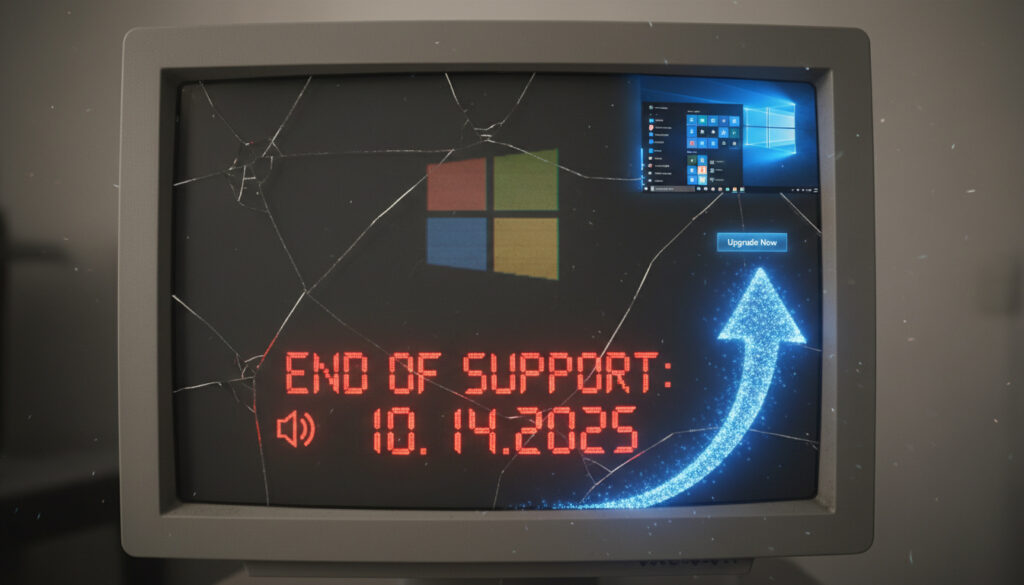
Windows 10 End of Life – Timeline, Risks and Upgrade Guide
Microsoft ended support for Windows 10 on , closing a decade-long chapter for the operating system that once ran on over a billion devices worldwide. For millions of users still relying on the platform, this milestone marks a critical transition point where security updates, technical assistance, and feature development cease entirely.
While computers running Windows 10 continue to function normally, the absence of official support introduces significant cybersecurity vulnerabilities. Microsoft officially recommends migrating to Windows 11 for ongoing protection, though hardware compatibility restrictions leave many users exploring alternative paths including paid Extended Security Updates or switching operating systems entirely.
Understanding the precise implications of this end-of-life event requires examining the timeline of Microsoft’s support cessation, the mechanics of the temporary ESU program, and the concrete risks of remaining on an unsupported platform.
When Does Windows 10 Reach End of Support?
Microsoft officially terminated Windows 10 support on October 14, 2025, exactly ten years after the operating system’s initial release in July 2015. This date represents the definitive end of the regular support lifecycle, after which no free security patches, bug fixes, or technical assistance are provided for standard consumer editions.
For organizations and individual users seeking temporary continuity, Microsoft launched a consumer Extended Security Updates (ESU) program running from October 15, 2025, through October 13, 2026. Unlike previous enterprise-only extended support offerings, this marks the first time Microsoft has made ESU available to personal users, albeit at a cost and with strict eligibility requirements limited to devices running Windows 10 version 22H2.
October 14, 2025
Paid ESU ($30/year consumer)
Windows 11 (TPM 2.0 required)
No security patches, vulnerability exposure
Key Developments
- Microsoft ceased all free support on October 14, 2025
- Consumer ESU program provides one additional year of security updates through October 13, 2026
- A single $30 license covers up to ten personal devices
- Windows 10 held approximately 40% market share at the end of 2025
- PCs continue functioning but without security updates or technical support
- Free Windows 11 upgrades remain available for compatible hardware
- Microsoft 365 Apps function on Windows 10 until October 10, 2028
| Fact | Details | Source |
|---|---|---|
| Support End Date | October 14, 2025 | Microsoft Lifecycle Policy |
| Consumer ESU Cost | $30 USD (covers 10 devices) | Microsoft Store |
| ESU Duration | October 15, 2025 – October 13, 2026 | Microsoft Support |
| Eligible Version | Windows 10 version 22H2 (personal only) | Microsoft Documentation |
| M365 Apps Support End | October 10, 2028 | Microsoft 365 Roadmap |
| Initial Release | July 29, 2015 | Microsoft Archives |
| Windows 11 Requirements | TPM 2.0, Secure Boot, compatible CPU | Microsoft Hardware Specs |
| Consumer ESU Enrollment Deadline | October 13, 2026 | Microsoft ESU Terms |
What Happens After Windows 10 End of Life?
Systems running Windows 10 past the October 14, 2025 deadline face an immediate shift in risk profile. Without access to security patches addressing newly discovered vulnerabilities, devices become attractive targets for threat actors exploiting unpatched operating system flaws that antivirus software cannot adequately defend against.
Can You Keep Using Windows 10 After 2025?
Technically, Windows 10 installations continue operating indefinitely following the end-of-life date. PCs do not automatically shut down or lose functionality on October 15. However, the operating system enters an unsupported state where Microsoft assumes no responsibility for emerging security threats, compatibility issues with modern software, or hardware driver maintenance.
Is Windows 10 Still Safe Without Updates?
Industry analysts and Microsoft itself warn that running Windows 10 without security updates exposes users to elevated risks of ransomware attacks, malware infections, and data breaches. According to lifecycle documentation, antivirus solutions including Microsoft Defender cannot compensate for underlying operating system vulnerabilities that require kernel-level patches.
Devices remaining on Windows 10 after October 14, 2025, without ESU enrollment receive no protection against newly discovered zero-day exploits. Historical data indicates that unsupported operating systems experience significantly higher compromise rates within months of support cessation.
Should You Upgrade to Windows 11?
Microsoft positions Windows 11 as the primary successor platform, offering free upgrades to eligible hardware. However, strict system requirements eliminate numerous older devices from consideration, creating a hardware obsolescence dilemma for users with otherwise functional computers.
What Are Windows 11 Hardware Requirements?
The upgrade path requires Trusted Platform Module (TPM) 2.0, Secure Boot capability, and specific processor generations (Intel 8th Gen or newer, AMD Ryzen 2000 series or newer). These specifications, designed to establish a modern security baseline, effectively exclude computers manufactured before approximately 2017-2018.
How to Check if My PC Supports Windows 11
Microsoft provides the PC Health Check application to automatically assess hardware compatibility. Users can download this tool from Microsoft’s official support pages to determine upgrade eligibility before committing to migration plans. For those with compatible systems, the Windows 11 Media Creation Tool – Step-by-Step Guide offers detailed installation assistance.
Free Windows 11 upgrades remain available indefinitely for devices meeting hardware requirements, though Microsoft emphasizes that compatibility checks are mandatory to prevent installation on unsupported configurations.
What Are Extended Security Updates for Windows 10?
The consumer Extended Security Updates program represents Microsoft’s bridge solution for users unable or unwilling to immediately migrate. This paid service provides critical security patches for one additional year while users plan hardware replacements or alternative migrations.
How Much Do Extended Updates Cost?
Microsoft set the consumer ESU pricing at $30 USD per license, with each license covering up to ten personal devices. This one-time fee provides access to monthly security updates from October 2025 through October 2026, though enrollment remains possible until the program’s final day.
What Do ESU Updates Include?
The ESU package strictly includes critical and important security updates. Notably absent are new features, non-security bug fixes, design changes, or general technical support beyond assistance with ESU enrollment and installation. Commercial customers access separate ESU tiers through volume licensing agreements with different pricing structures and duration options.
Users may enroll in the consumer ESU program any time before October 13, 2026, but devices remain vulnerable to all threats discovered between October 14, 2025, and the enrollment date.
A single $30 ESU license extends to up to ten Windows 10 version 22H2 devices associated with the purchasing Microsoft account, making it cost-effective for households with multiple computers.
What Are Alternatives to Upgrading?
For devices failing Windows 11 compatibility checks or users seeking non-Microsoft solutions, several alternative paths exist beyond the ESU program. These options range within the open-source ecosystem to specialized Microsoft editions designed for specific enterprise scenarios.
Linux distributions offer a viable permanent migration path for users comfortable learning new interfaces, with Ubuntu, Fedora, and Linux Mint providing robust hardware support for older systems. ChromeOS Flex presents another lightweight option for users primarily working within web browsers, though functionality limitations apply for specialized software requirements.
Microsoft technically continues supporting Windows 10 Long-Term Servicing Channel (LTSC) editions through 2029 (2019 version) or approximately 2032 (2021 version). However, Microsoft explicitly designates these editions unsuitable for general consumer use, limiting them to specialized enterprise and industrial applications. Users seeking English to Russian Translate – Best Free Tools 2025 or other localization resources during their transition may find community-supported tools valuable when adjusting to new operating systems.
Purchasing new Copilot+ PCs or standard Windows 11 devices remains Microsoft’s recommended solution for users requiring guaranteed long-term support and modern security features.
How Did the Windows 10 Support Timeline Unfold?
- July 29, 2015: Microsoft launches Windows 10 globally, marketed as the “last Windows version” with continuous updates.
- October 2024: Microsoft announces consumer ESU pricing ($30) and confirms October 14, 2025 end-of-support date.
- October 14, 2025: Official end of support; final free updates released for Windows 10 Home and Pro editions.
- October 15, 2025: Consumer ESU program activates; eligible devices may begin purchasing and installing extended updates.
- October 13, 2026: Consumer ESU program concludes; no further security updates available for personal devices.
- October 10, 2028: Microsoft 365 Apps cease functioning on Windows 10, marking the final software compatibility deadline.
What Is Certain and What Remains Unclear?
| Established Information | Unresolved Questions |
|---|---|
| Windows 10 support ended October 14, 2025 | Whether Microsoft will extend consumer ESU beyond 2026 |
| Consumer ESU costs $30 for one year | Potential for unofficial hardware bypasses for Windows 11 |
| Windows 11 requires TPM 2.0 and Secure Boot | Exact enterprise ESU pricing tiers for years 2-3 |
| Microsoft 365 Apps supported until October 2028 | Long-term viability of Windows 10 LTSC for specialized use |
| Linux and ChromeOS Flex function as alternatives | Specific security incident rates for post-EOL Windows 10 |
Why Is Microsoft Ending Windows 10 Support?
Microsoft’s decision to conclude Windows 10 support after a decade aligns with the company’s standard lifecycle policies and strategic pivot toward Windows 11’s enhanced security architecture. The operating system’s substantial market share—estimated at approximately 40% of Windows installations globally as of late 2025—creates significant security ecosystem concerns as unpatched vulnerabilities accumulate.
The transition reflects broader industry trends establishing hardware-based security requirements, with Windows 11’s TPM 2.0 mandate representing an attempt to standardize encryption and secure boot capabilities across consumer devices. By drawing a definitive line for Windows 10, Microsoft aims to accelerate adoption of modern security standards while reducing the fragmentation and testing costs associated with maintaining multiple legacy codebases.
What Do Official Sources Say About Windows 10 EOL?
“After October 14, 2025, Microsoft will no longer provide free security updates, technical assistance, or feature enhancements for Windows 10.”
— Microsoft Windows Lifecycle Documentation
“PCs running Windows 10 after end of support will continue to function, but they will become more vulnerable to viruses and malware over time.”
What Should You Do Next?
Users currently running Windows 10 should immediately verify hardware compatibility for Windows 11 using Microsoft’s PC Health Check tool; eligible systems should prioritize free upgrades, while incompatible devices require choosing between the $30 one-year ESU program, migrating to Linux, or purchasing new Windows 11 hardware before October 2026 when all official security support concludes.
Frequently Asked Questions
When did Microsoft announce Windows 10 EOL?
Microsoft confirmed the October 14, 2025 end-of-support date several years in advance, with specific consumer ESU pricing announced in October 2024.
How long are extended security updates available?
Consumer ESU programs run from October 15, 2025, through October 13, 2026—exactly one year. Commercial customers may access extended support for up to three years total through volume licensing.
Will Windows 10 get security updates after EOL?
Only devices enrolled in the paid ESU program receive security updates, and only for the one-year consumer program duration. Standard installations receive no further patches.
Do I need to upgrade to Windows 11?
While not strictly mandatory, Microsoft strongly recommends upgrading due to escalating security risks. Users can upgrade only if their hardware meets TPM 2.0, Secure Boot, and processor requirements.
Is Windows 10 safe after October 2025?
Without ESU enrollment, Windows 10 becomes progressively less safe as unpatched vulnerabilities accumulate. Antivirus software cannot protect against operating system kernel-level exploits.
What happens to Microsoft Office on Windows 10?
Microsoft 365 Apps continue functioning until October 10, 2028. However, standalone Office versions (2016, 2019, 2021, 2024, LTSC) lose support on Windows 10 immediately at EOL.
Can I use Windows 10 without internet after EOL?
Offline systems face reduced but persistent risks through physical media and local network transfers. However, most modern workflows require connectivity, significantly expanding attack surfaces.
More related posts
 Le Creuset Dutch Oven: Reviews, Alternatives & Buying Guide
 English to Russian Translate – Best Free Tools 2025
 The Fate of Ophelia – Death, Madness, Suicide Debate
 Cetaphil Gentle Skin Cleanser – Ingredients, Reviews, Usage Guide
 Keke Palmer Movies and TV Shows: Complete Filmography
 Orange Watch Snow Squall: Meaning, Severity & Safety
 Old Age Pension Canada – 2025 Rates, Eligibility and Application
 Purina ONE Dog Food: Nutrition, Reviews and Ireland Availability